Resolve's eCommerce checkout now supports a sales-rep checkout flow, allowing your sales reps to checkout with Resolve on behalf of a customer. The following guide details how to place draft orders and checkout with the sales-rep flow using Shopify.
Ensure you have the following:
- Your Resolve merchant account login credentials
- Access to your Shopify admin dashboard
Note: See Adding and removing team members for detailed steps on inviting more team members to your Resolve account.
- From your Shopify admin dashboard, select Orders > Drafts
- Select Create order
- Add products to the order and select a customer
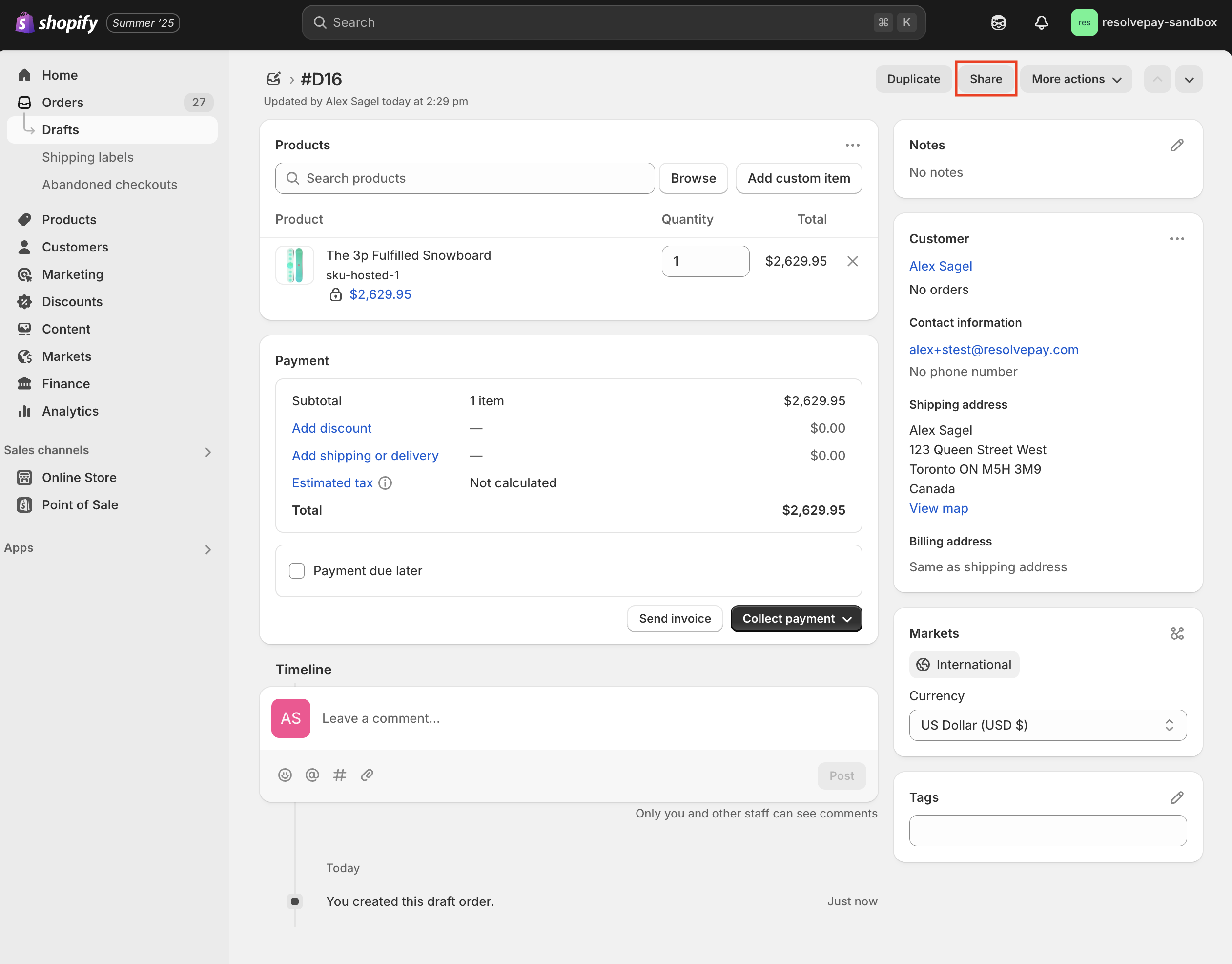
- Once you've added products, the customer, and any applicable discounts or shipping fees, select the Share button
- Select Copy link and paste the URL into a new tab or window
- From Shopify Checkout, select Pay with net terms > Pay now
- Enter your Resolve Merchant credentials and select Sign In
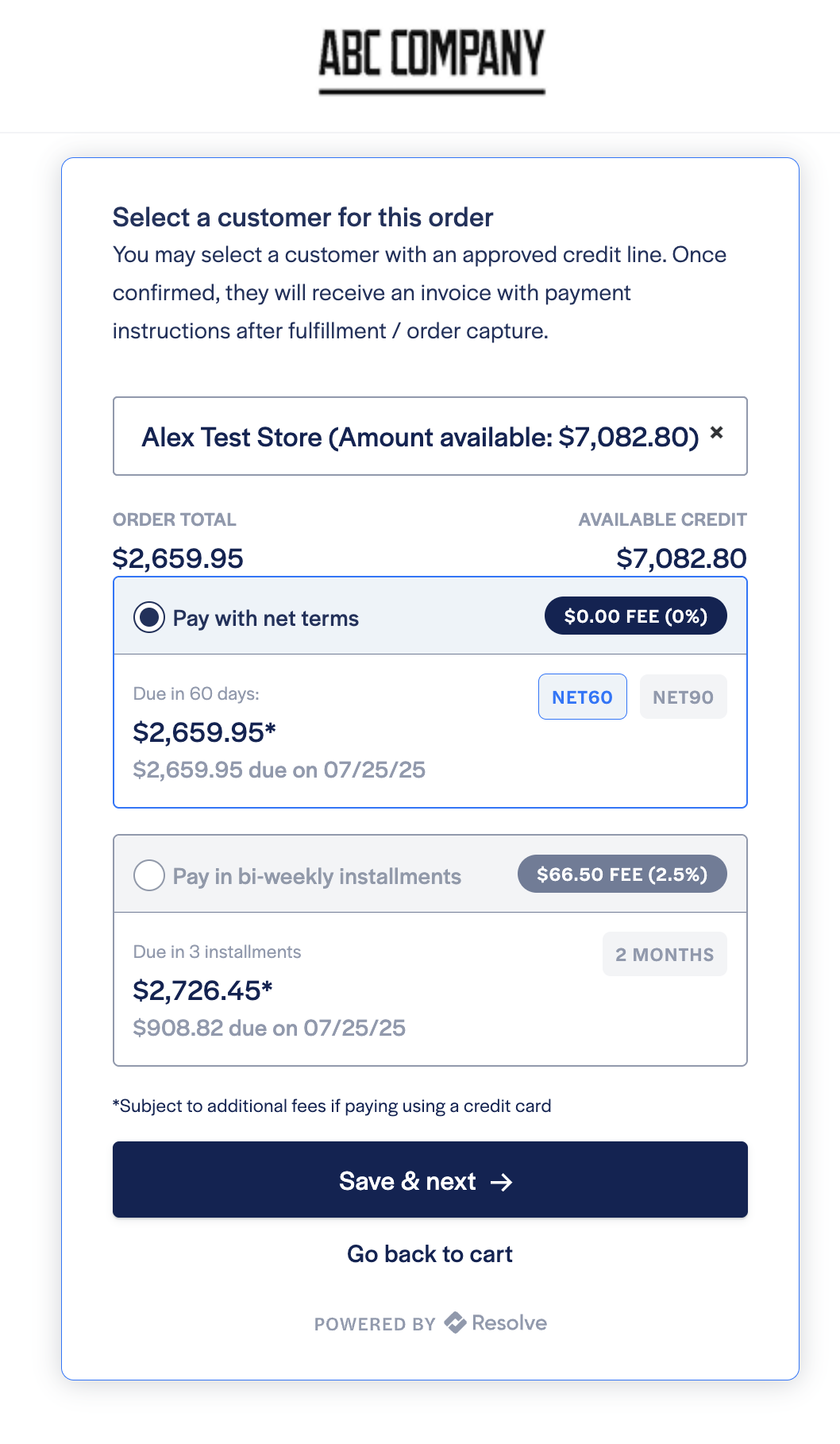
- Search for the Resolve customer you intend to place the order for
- Select a payment option and select Save & next
- To complete the order, select Confirm purchase
- You will then be redirected to the Shopify order confirmation page
Your customer will receive an order confirmation from Shopify and a separate Resolve invoice once the order is fulfilled. If you've enabled payments to capture automatically at checkout, then they will receive the Resolve invoice immediately.