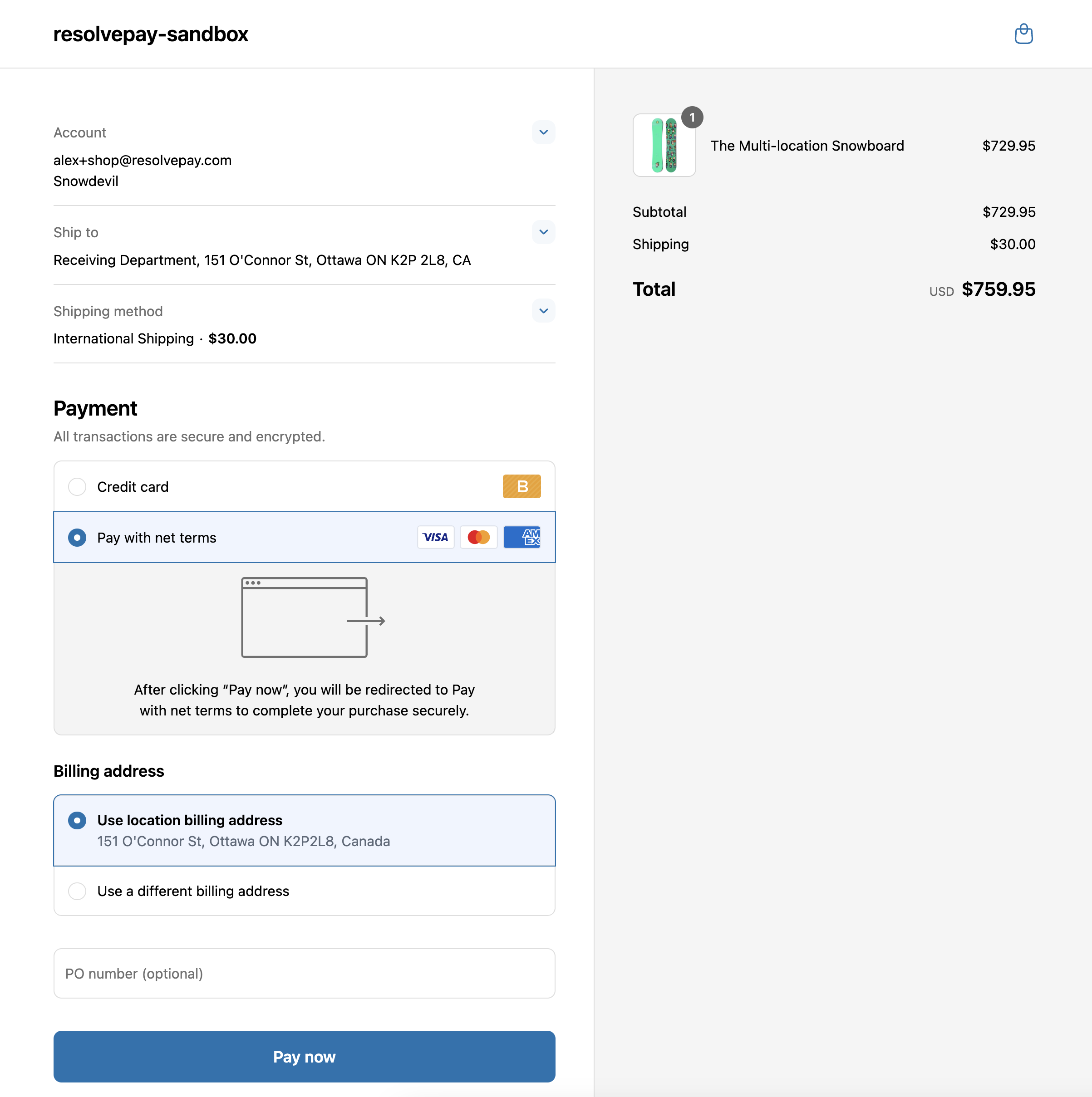
Note: The following guide is only applicable to stores using Shopify B2B features such as company accounts. If you're not utilizing Shopify B2B features, simply refer to the Shopify integration guide for installation instructions.
When creating or approving company accounts in Shopify, ensure that you are using the default selection "No payment terms". If you have configured company accounts with multiple locations, ensure that each individual company location is configured without payment terms.
For more details on configuring payment terms in Shopify, see Setting Up Payment Terms in B2B.
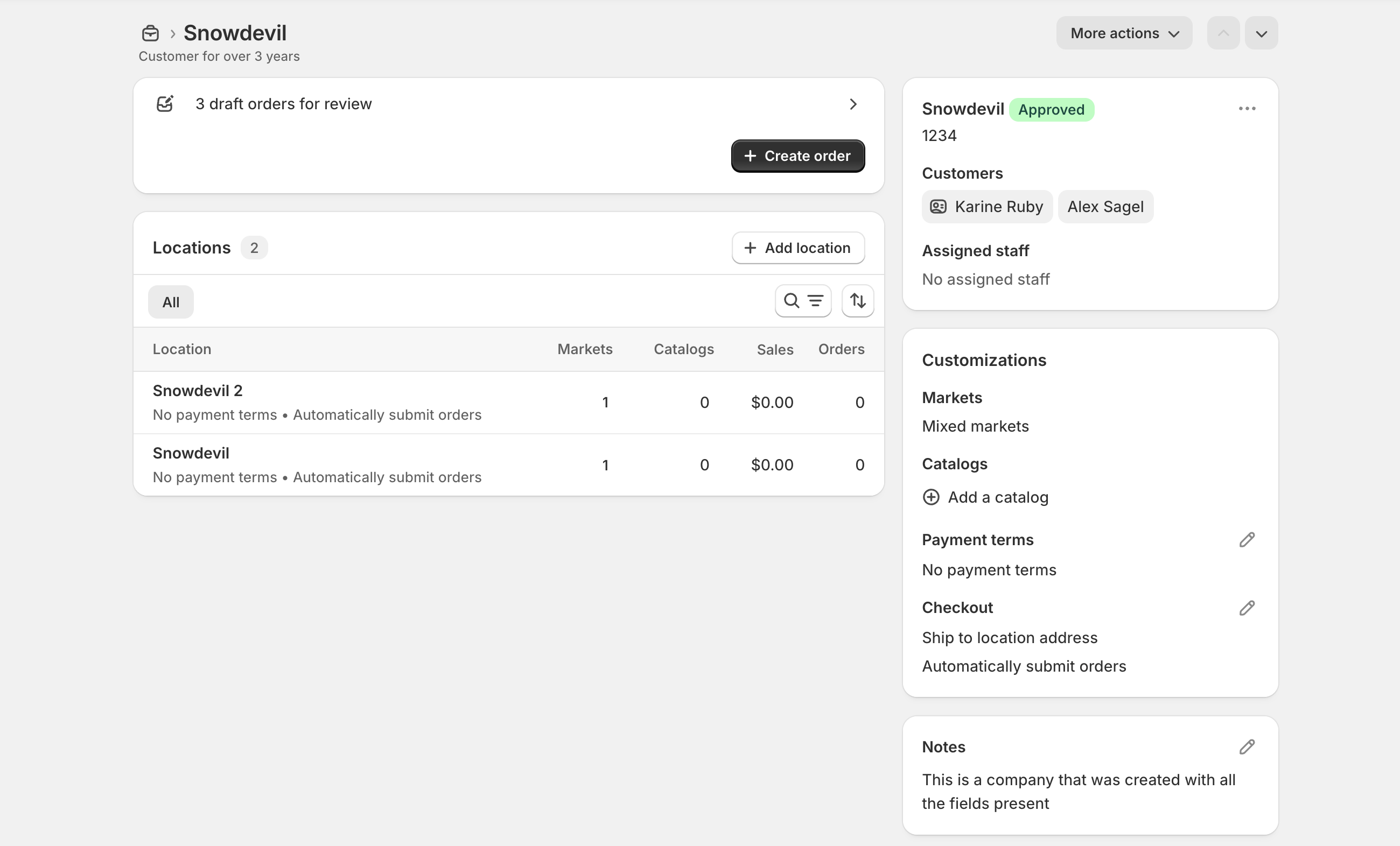
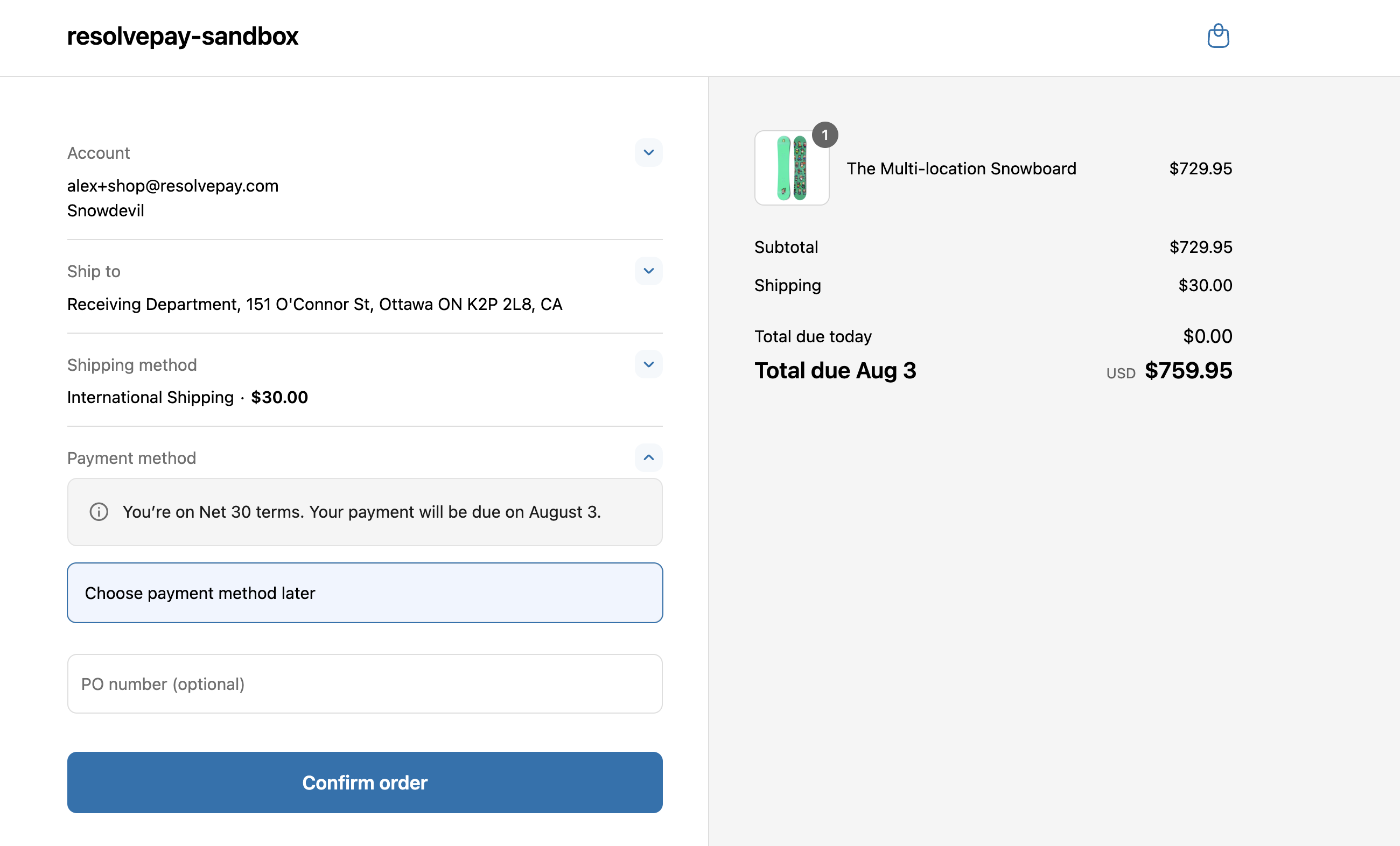
Warning: If a company account uses any other payment term (such as Net 30), they will not be able to checkout with Resolve.
Once a company account is configured with no payment terms, they will see the "Pay with net terms" option at checkout, and will be able to checkout with Resolve.